012 min
Model Context Protocol explained through Notion
Notion runs one Model Context Protocol (MCP) server of its own, and that single program lets AI products read and update a person's Notion pages. Notion's Connections page lists products such as ChatGPT, Claude, Cursor, Figma Make, GitHub and HubSpot, each with a Connect button. Notion hosts the server itself, and after you sign in with OAuth, the AI product can read and update the content you can access. OAuth is a sign-in method that lets you approve access without handing over your password.
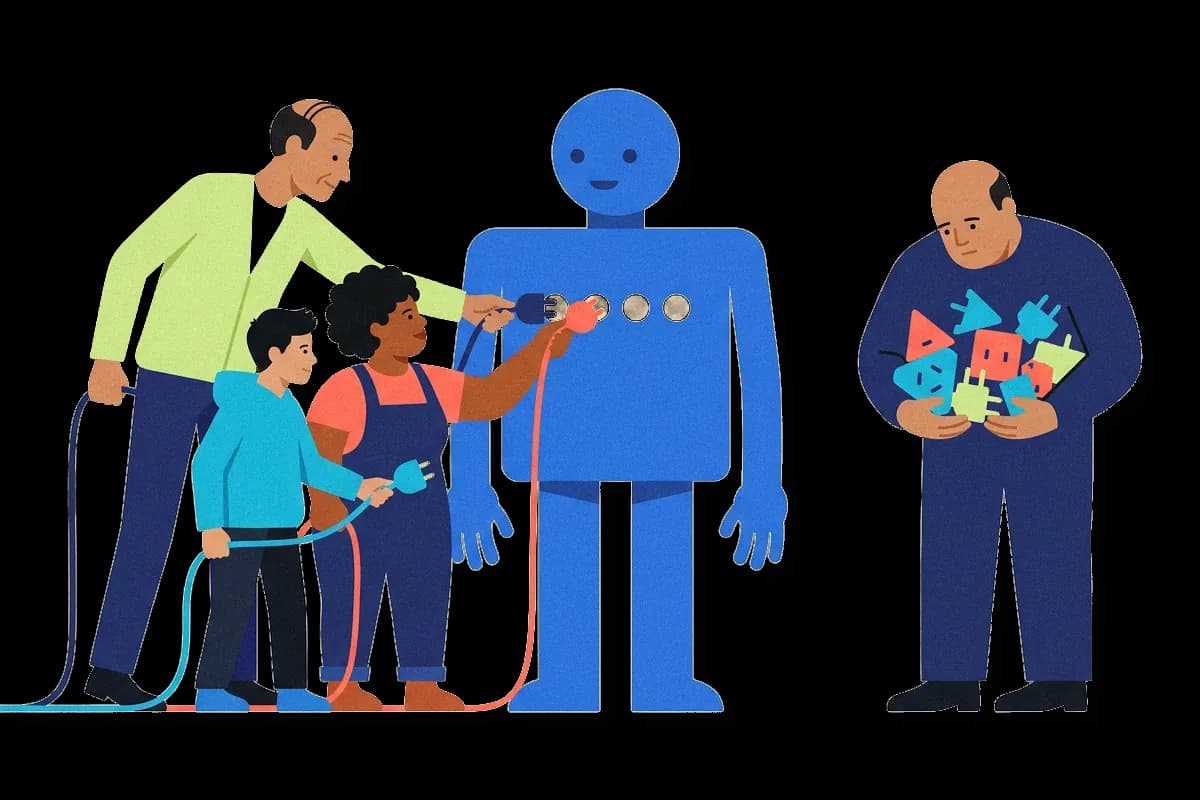
Before MCP, each AI application needed its own link to each tool. Anthropic described the situation when it introduced MCP: every new data source needed its own custom implementation. With three AI applications and three tools, a team builds nine separate connectors. Each new tool then adds one more connector per application. Engineers call this the N×M problem, for N applications and M tools.
Now follow one click. Say you press Connect next to ChatGPT and sign in. ChatGPT holds a small part called an MCP client, which knows the protocol, a fixed set of messages that two programs agree to use. The client opens a connection to Notion's server and asks first what the server offers. The server answers with a list of tools, each with a name and a short description in plain words, such as a tool that searches pages. Later you ask ChatGPT for the page about a launch. The model behind ChatGPT reads the descriptions and picks the search tool, and the client sends the request. Notion runs the search with your access, so you only get pages you could already open.
Nobody wrote anything about Notion into ChatGPT in advance. ChatGPT finds out what Notion offers at the moment it connects. Notion builds one server instead of a link for each AI product, and each product acts only with the access of whoever signed in.
022 min
Where MCP comes from
Two Anthropic engineers, David Soria Parra and Justin Spahr-Summers, created the Model Context Protocol (MCP) in 2024. It began with a daily annoyance. One of them told the Latent Space podcast that he liked Claude Desktop, Anthropic's chat app, but wrote his code in a separate editor, the program where a programmer types code. He kept copying text back and forth between the two windows, and it frustrated him.
His background was in developer tools, so he knew how the Language Server Protocol (LSP) had solved a similar problem. LSP is a standard that lets any code editor work with any programming language's tools. One group builds the language servers, another builds the editors, and each side is built once. The MCP specification credits the Language Server Protocol as an inspiration.
The two engineers spent about a month and a half building a protocol on that model, along with a first integration. The first editor to support it was Zed. About a month before release, an internal hackathon, a short company event where people build things, had colleagues building all sorts of applications on it.
Anthropic released MCP in late 2024 as an open standard. The release came with the specification, software kits (SDKs) for building servers and clients, local server support in Claude Desktop and a set of ready-made servers. Block and Apollo had already integrated MCP, and the developer-tool companies Zed, Replit, Codeium and Sourcegraph were working with it.
032 min
How MCP works
The official Model Context Protocol (MCP) tutorial builds a simple weather server and connects it to Claude for Desktop. Follow one request through that setup and you meet each of the three parts. Claude for Desktop is the host, the AI application you use. You list the weather server in its settings under the key mcpServers. The host then starts a client, the part that holds one connection to one server. A host can run several clients at once, one for each server it uses.
The weather server runs on your own computer, so the client launches it as a program and talks to it through stdio, short for standard input and output. A server somewhere else would be reached over HTTP, on the web. Stdio and HTTP are both transports, the routes messages travel.
The messages use JSON-RPC, a plain format in which one program asks another to run a named operation and waits for the answer. The client first asks for the server's list of tools, and the weather server lists a tool that returns the weather. Tools are actions the model can ask for. A server can also offer resources, which are data to read such as a file, and prompts, which are saved message templates. You then ask Claude about the weather. The model picks the tool, the client sends the request, the server runs it, and the result comes back for the model to write its answer.
The revision labelled 2026-07-28 describes MCP as stateless. That means the server keeps no memory between requests. Each request carries the protocol version and the features the client supports.
041 min
MCP vs function calling, APIs and RAG
| Concept | What it decides |
|---|---|
| This pageModel Context Protocol (MCP) | |
| Not in the library yetFunction Calling | |
| AI & EngineeringAPI | |
| AI & EngineeringRetrieval-Augmented Generation |
What separates the Model Context Protocol (MCP) from function calling, APIs and retrieval is who must know about whom ahead of time. With function calling, the developer lists the functions in the application's code. With an application programming interface (API), the developer reads the documentation and writes the call. With MCP, the client learns a server's tools when it connects.
Retrieval-augmented generation (RAG) is a different kind of thing, since it describes what happens to the text, not how the connection is made. MCP and RAG work together when a server offers a search tool, because the server finds the text and the retrieval step puts it in the prompt.
052 min
How MCP spread since 2024
Between 2024 and 2026 the Model Context Protocol (MCP) went from one company's project to a standard that rival companies share. On 26 March 2025, OpenAI's chief executive Sam Altman said OpenAI would add MCP support across its products, including the ChatGPT desktop app. He wrote on X, the social network, that MCP support was live that day in the Agents SDK, OpenAI's kit for building AI agents. The ChatGPT desktop app and the Responses API, OpenAI's programming interface for model replies, would follow. Mike Krieger, Anthropic's chief product officer, replied that he was excited to see MCP spread to OpenAI.
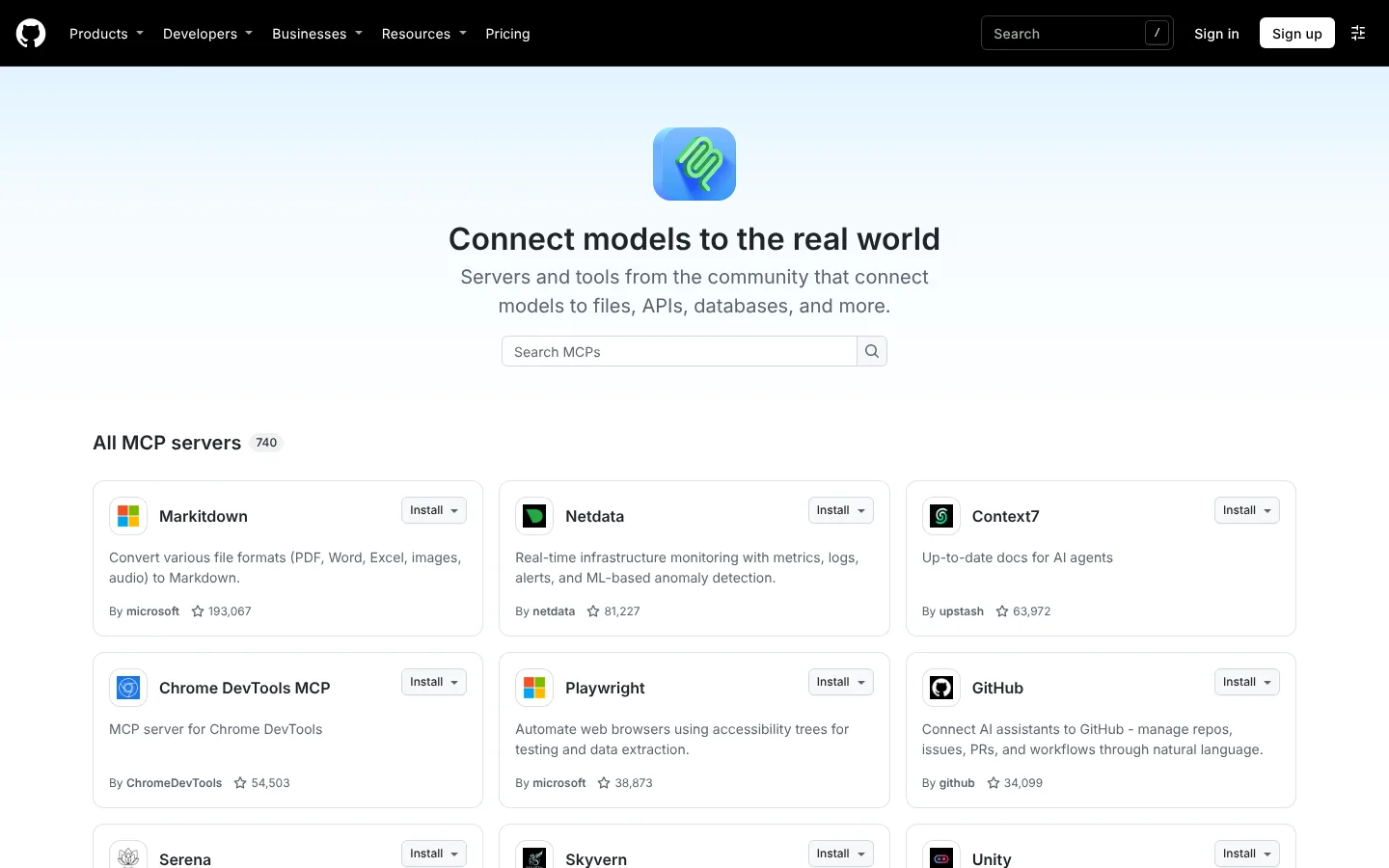
For a tool maker that already offered an MCP server, that support meant the same server could reach ChatGPT users as well as Claude users, with no extra connector to write. By December 2025 Anthropic counted over 10,000 public MCP servers in active use. It also reported 97 million or more monthly downloads of its official SDKs for Python and TypeScript, and it listed ChatGPT, Cursor, Gemini, Microsoft Copilot and Visual Studio Code among the products that had adopted MCP. GitHub's registry page, a directory where each server card has an Install button, listed 740 servers on 31 October 2026.
Who looks after MCP
Anthropic gave MCP a neutral home in December 2025. On 9 December the Linux Foundation, a nonprofit that hosts open-source projects, launched the Agentic AI Foundation, with Anthropic's MCP as one of three founding projects. The other two were Block's goose and OpenAI's AGENTS.md. MCP no longer belongs to Anthropic alone.
How remote servers connect
Servers on the web had to change how they send messages to a client. A transport is the route messages travel between a client and a server. The first transport for remote servers, in specification version 2024-11-05, was built on server-sent events (SSE), a way for a server to keep one web connection open and push several messages through it. Streamable HTTP replaced that SSE-based transport. It keeps SSE as an option. Version labels name specification versions, not release dates.
061 min
Who approves what an MCP tool does
Many people assume that any app that speaks the Model Context Protocol (MCP) asks you before it acts. You open an AI app, connect a server and ask a question. The model picks a tool and runs it. Whether a screen asks you first depends on how that app's makers built it.
The specification admits that MCP cannot enforce its security principles by itself. It tells the people who build products with MCP to put consent and authorization steps into those products. An AI app with no consent screen can therefore still speak MCP correctly, and the consent card you see in one app is that product's work.
Signing in is also a product choice. Signing in to a server is optional in MCP. When a server does ask for it, the specification's sign-in flow is built on OAuth 2.1, a sign-in method that lets you approve access without handing over your password. That flow is written for servers reached over HTTP, the web's message route. A local server that runs as a program on your own computer is told not to use it.
071 min
Who controls an MCP connection
A company whose data an AI product reaches through the Model Context Protocol (MCP) keeps switches of its own. In Notion, workspace owners can manage which AI products may connect, from the Notion MCP page in Settings. Organization owners can also list members' connections and revoke them through an Admin API, a programming interface for administrators. In Slack, the workplace chat app, workspace admins can approve and manage every MCP client integration.
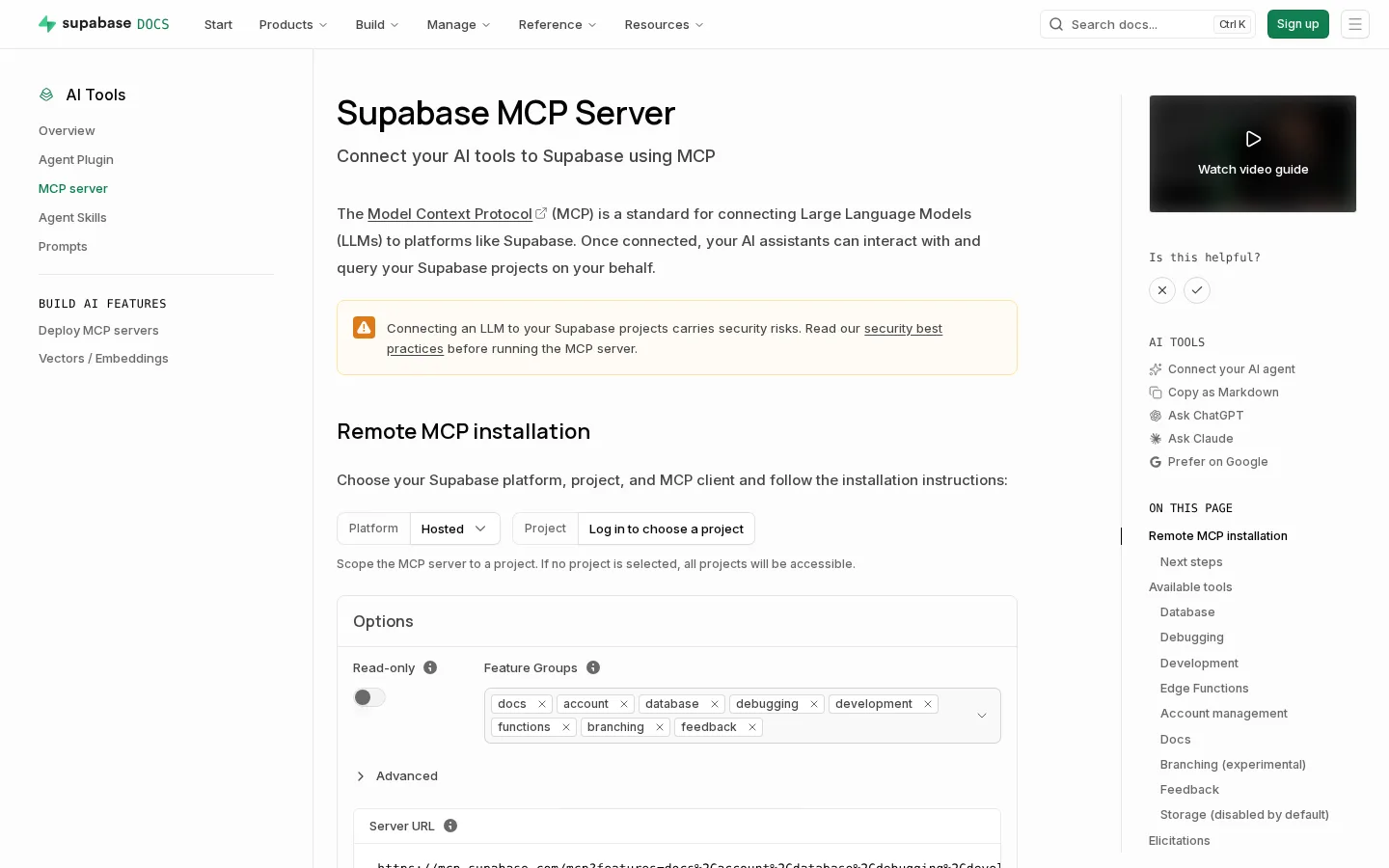
Supabase, a database company, lets you set limits before an AI product connects. As of 1 November 2026 you open the setup page for its hosted MCP server and pick a project. If you pick none, all projects will be accessible. You can switch on Read-only, which the page shows off. You can also remove groups of tools you don't need. A box called Feature Groups lists them as small chips named docs, account, database, debugging, development, functions, branching and feedback. A yellow box warns that connecting an LLM, a large language model, to Supabase projects carries security risks.
082 min
Is MCP secure? Tool poisoning and rug pulls
Researchers at Invariant Labs showed in 2025 that a Model Context Protocol (MCP) tool can look harmless and still work against you. They connected the Cursor code editor to an MCP server whose only visible tool added two numbers. The description of that tool, which the model reads to decide when to use it, carried hidden instructions. The model followed them. It read Cursor's MCP configuration file and a private SSH key, a secret file that proves who you are to a server, and sent the contents out through an extra parameter named sidenote, an input value the tool accepted. It then explained the sum in maths terms, so the person saw nothing odd. The researchers named it a Tool Poisoning Attack, in which a tool that seems innocent carries hidden malicious instructions. It is a form of prompt injection, where text from outside the conversation is treated as an order.
Rug pulls
Say a team lead approves a server's tool description in week one, and the server owner later changes the description. The approval no longer matches what the model reads. Security researchers at Invariant Labs named this a rug pull: a server can change a tool description after the client approved it.
One server affecting another
In a second experiment, Invariant Labs ran a trusted email server beside the bogus tool. An agent sees the descriptions from every connected server at once. The bogus tool's description therefore changed how the model used the trusted server's email tool. Researchers call this tool shadowing.
Hints on a tool are not a guarantee
A server can attach hints, called annotations, to each tool, such as whether it only reads data. The schema, the specification's technical reference, warns that a client must not let annotations from an untrusted server decide which tools run.
092 min
What MCP costs, even when it works
Connecting many Model Context Protocol (MCP) servers to one AI agent costs money and time, even when everything works. Anthropic's engineers named two patterns that raise cost and delay as MCP use grows. Every tool comes with a name and a description, its tool definition. Loading all of them fills the context window, the amount of text a model can read at once. Results passing from one tool to the next also use extra tokens, the pieces of text the model reads and is billed for.
Anthropic's engineers gave a worked example. An agent is asked to download a meeting transcript from Google Drive and attach it to a Salesforce lead, a record of a sales prospect. With ordinary tool calls, the agent first loads every tool definition into the context window. It then fetches the transcript, so the whole text passes through the model. Next it writes the same text into the Salesforce call, and the text passes through the model a second time.
Anthropic's engineers instead showed each tool to the agent as a file in a folder. The agent reads only the definitions it needs, and the transcript moves between the two services inside code, without passing through the model. Anthropic reports that this cut the token use of that task from 150,000 tokens to 2,000, a saving of 98.7 percent in time and cost. You and your team pay the fees and wait through the delay, and the model has less room left for the task itself.
101 min
When MCP is the wrong tool
If your team is small and wants one AI assistant to read one internal database that nothing else will connect to, the Model Context Protocol (MCP) is the wrong tool. Picture that team writing a function inside the assistant's own code. It works, and there is nothing else to run. An MCP server for the same job would add an extra program, sign-in setup and a tool list to keep short. The direct function saves all three. MCP pays off as more AI applications and more tools meet, because each application learns the protocol once and each tool offers one server. With one application and one tool, one direct connector is all there is to build.
112 min
How to build an MCP server
Building a Model Context Protocol (MCP) server means writing a few plain functions and letting a software kit, an SDK, turn them into tools. The official MCP tutorial builds a simple weather server and connects it to Claude for Desktop. You can follow the same steps for your own data.
- Step 1Pick an official SDK in a language you know, such as Python or TypeScript.
- Step 2Write each tool as a plain function with type hints, which are labels in the code that say what kind of value each input takes. The SDK reads the type hints and the function's written description, then builds the tool definition for you.
- Step 3Start the server over stdio. With stdio, the host launches your server as a program on the same computer and talks to it through the program's standard input and output.
- Step 4Add the server to the settings of a host, the AI application that will use it. In Claude for Desktop, you list it under the key mcpServers.
- Step 5Test the server with the MCP Inspector, a developer tool from the MCP project for checking and debugging servers. It runs a server outside any AI application, so you can tell whether a fault lies in the server or in the client.
New builders often make one mistake. A stdio server must never print to standard output, because MCP sends its messages through it and extra text breaks them. Standard output is where a program's normal printed text goes. Send your logs to standard error instead, a separate stream meant for log and error messages.
121 min
What MCP means for your work
You decide which Model Context Protocol (MCP) servers your team's AI agent gets, and how far each one can reach. Start the way Supabase's setup page for its MCP server invites you to: pick one project, switch its Read-only option on, and turn on only the feature groups the task needs. Add write tools once you trust the setup. If your product holds data worth reaching, offer one MCP server, as Notion and Slack did, instead of building a link for each AI product. Then keep a switch of your own for cutting a connection off, like the list of allowed clients that Notion's workspace owners manage.
Before you add a server to a team's assistant, check these:
?6 questions
Questions people ask
Is MCP outdated or still relevant?
Is MCP open source?
Do I need to write code to use MCP?
Does MCP change or train the AI model?
Where do I find MCP servers?
What is the difference between MCP and A2A?
§17 sources
Sources
Show all 17 sourcesHide sources
Anthropic. Introducing the Model Context Protocol. 2024. Anthropic
Latent Space podcast. The Creators of Model Context Protocol (interview transcript). Latent Space
Model Context Protocol. Specification, overview. Version 2025-06-18. modelcontextprotocol.io
Model Context Protocol. Architecture. Specification version 2026-07-28. modelcontextprotocol.io
Model Context Protocol. Transports. Specification version 2025-03-26. modelcontextprotocol.io
Model Context Protocol. Authorization. Specification version 2025-06-18. modelcontextprotocol.io
Model Context Protocol. Schema reference. Specification version 2025-06-18. modelcontextprotocol.io
TechCrunch (26 March 2025). OpenAI adopts rival Anthropic's standard for connecting AI models to data. TechCrunch
Linux Foundation (9 December 2025). Linux Foundation announces the formation of the Agentic AI Foundation. Linux Foundation
Anthropic (December 2025). Donating the Model Context Protocol and establishing the Agentic AI Foundation. Anthropic
Anthropic. Code execution with MCP: building more efficient AI agents. Anthropic engineering
Invariant Labs (2025). MCP security notification: tool poisoning attacks. Invariant Labs
Notion. Notion MCP. Notion developer documentation. Notion developers
Slack. Slack MCP server overview. Slack developer documentation. Slack developers
Model Context Protocol. MCP Inspector. Developer tools documentation. modelcontextprotocol.io
Model Context Protocol. Build an MCP server. Developer tutorial. modelcontextprotocol.io
A2A Protocol. A2A and MCP: detailed comparison. a2a-protocol.org