012 min
What are Sniper Links?
A sniper link takes over the hardest part of confirming an email address, which is finding the message. Without one, a new user leaves your site, opens their own mail in another tab and hunts for your email among everything else that arrived. A sniper link writes that search into a web address, using the search words that webmail services already accept, so one click ends on one email. Growth.Design, a company that teaches product design, tested this on its own newsletter sign-up forms in 2022, according to its case study.
After a person signed up, some Gmail users on desktop saw a link on the thank-you screen. It opened Gmail on a search for emails from Growth.Design, in any folder including spam, from the last day. Other new subscribers got the usual screen with no link. The team split people between the two groups with Mixpanel, an analytics tool, and counted who confirmed. They tested only Gmail users on desktop, because 84% of their subscribers used Gmail.
The people who saw the link confirmed more often, with a 7% relative lift, which means the confirmation rate rose by 7% of its earlier value. Their confirmation rate reached 94%, and the median time to confirm, the middle value across users, was about 10% shorter. Growth.Design says that adds up to thousands of extra completed signups a year, and it adds that the first version of the test was very basic.
022 min
The unconfirmed signups behind Sniper Links
The case study on sniper links by Growth.Design, a company that teaches product design, starts with its narrator signing up to try Framer, a website builder. The Framer confirmation screen said what to do next, but nothing on it could be clicked. The narrator had to open their inbox in a new tab, where a stream of other emails waited. They named two problems: a dead end, and the effort of finding the email among the rest. That effort is friction, the extra work between a person and what they came to do. The narrator's answer was a link that searches the inbox for only that email and finds it even in spam. The case study doesn't say what Framer did with the idea.
Growth.Design puts the cost at 27% to 61% of new users who never confirm, a range its footnotes trace to Litmus in 2016 and Mailchimp, an email service, in 2017. Webbiquity, a business-to-business marketing blog, reports that on a popular mailing list run through ConvertKit, an email service, 2,833 leads never confirmed and 7,633 made it onto the list. That is 2,833 of 10,466 signups, about 27%.
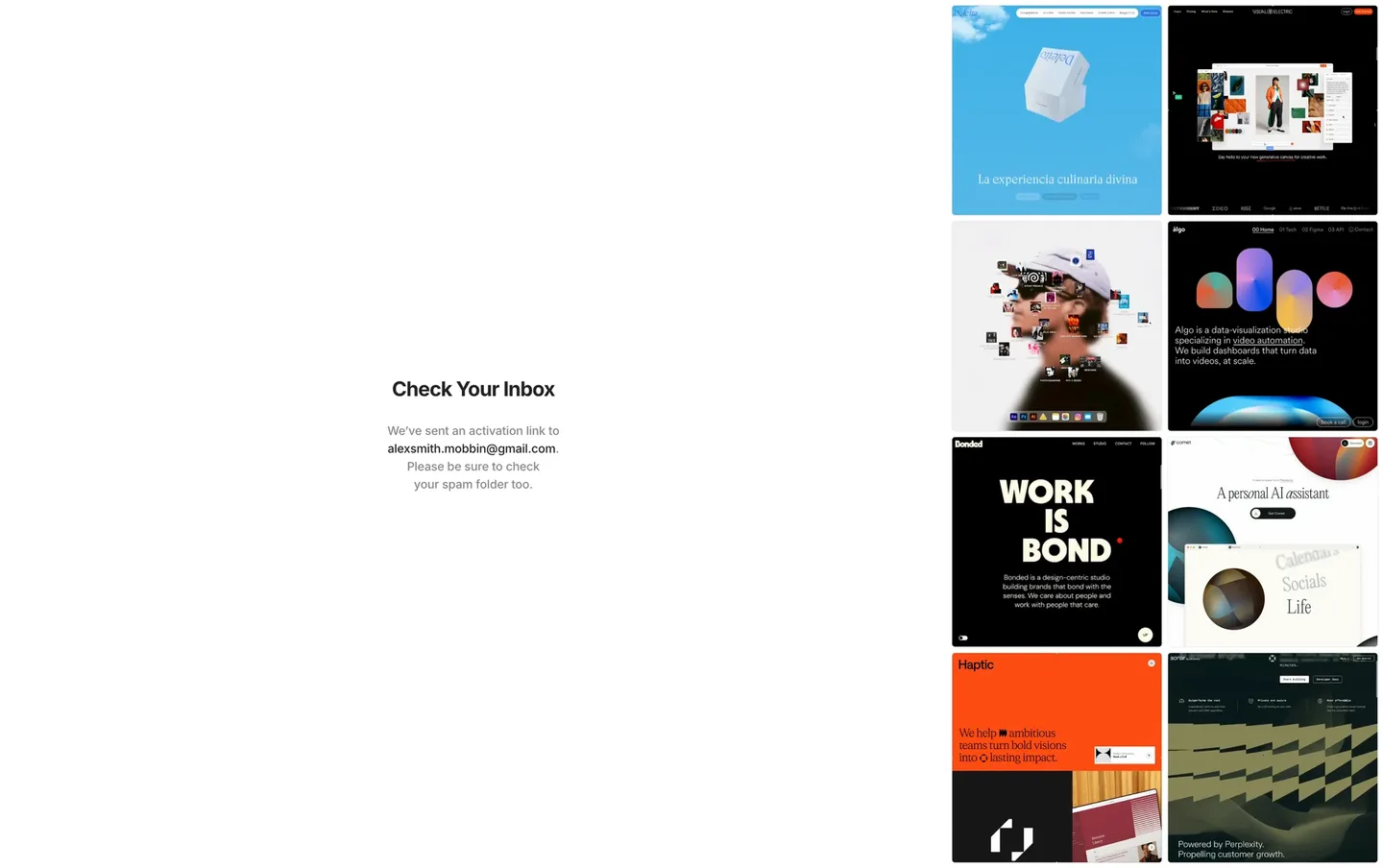
Mobbin, a library of app screens, has a capture of Framer's sign-up confirmation. It still has the same gap. This is a more recent capture, not the screen the case study's narrator saw. The page has a heading that reads Check Your Inbox, and grey text saying an activation link went to an address ending in @gmail.com and asking the person to check their spam folder too. Nothing in that block can be clicked, so the person must go and find the email alone.
031 min
Hick's Law and Sniper Links
Hick's Law explains why a crowded inbox slows you down when you hunt for a confirmation email, and why a sniper link, which opens the inbox on that one email, helps. In 1952, the British psychologist William Edmund Hick and the American psychologist Ray Hyman examined how the number of stimuli present affects reaction time. A stimulus is anything a person has to react to. What they saw is now called Hick's Law: the time to decide grows with the number and complexity of the choices.
Growth.Design, a company that teaches product design, leans on that law in its case study. When you land in an inbox full of other emails, each one is one more message to scan before the right one turns up. A sniper link cuts the list to one message, so there is nothing to rule out and the click is the whole decision.
041 min
How Sniper Links work in Gmail
A Gmail sniper link has four parts, according to Growth.Design, a company that teaches product design, called account scope, sender filter, spam piercer and time frame. Together they make an ordinary web address carry Gmail's search words, so Gmail opens already searching and only the matching email is on screen.
What happens when you click
Say you've just signed up to a newsletter and the thank-you screen shows a Gmail sniper link, and you tap it. The account scope sends the click to your own Gmail account, so Gmail opens on your mail. The sender filter then limits the search to emails from your domain or one address, so mail from other senders stays out. After that, the spam piercer, which is Gmail's in:anywhere search word, also searches Spam and Trash, the folders a normal search skips. Last, the time frame, which is Gmail's newer_than word followed by a number and d, m or y for day, month or year, keeps only recent messages. Growth.Design's own test on its newsletter sign-ups used the last day, so only messages from that day match.
What you see is a click that lands on one email: yours, from the last day, in whatever folder it fell into.
051 min
Sniper Links across Gmail, Outlook, Yahoo and Proton
Gmail, Outlook, Yahoo Mail and Proton each write their search into the address their own way, so one sniper link can't serve every new user. Growth.Design, a company that teaches product design, gives desktop and iPhone link formats in its guide for Gmail, Outlook, Yahoo, Proton and iCloud. Practical Ecommerce, a trade publication for online shops, gives the same list, citing Dan Benoni, who coined the term sniper link in 2019. Yahoo Mail's format also serves AOL Mail.
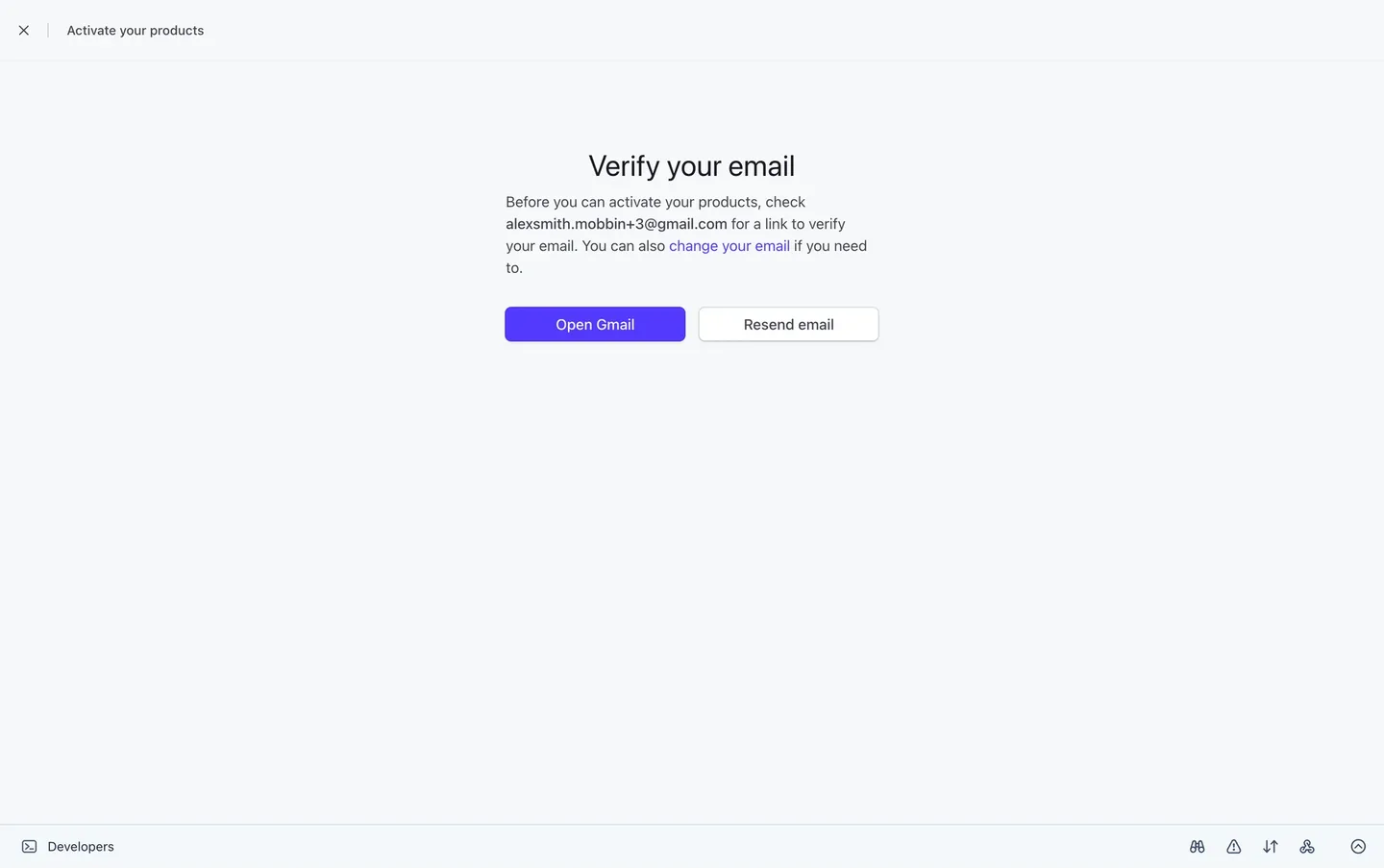
Stripe's activation page, as captured by Mobbin, a library of app screens, shows the Gmail case. Under a top bar reading Activate your products, the heading Verify your email sits above a short paragraph saying a link went to an address ending in @gmail.com. Two buttons follow, a filled one for Open Gmail and an outlined one for Resend email. The first button names the provider the address belongs to. The screen doesn't show where that button leads, so it can't say whether it opens a search for Stripe's email or only the Gmail inbox.
062 min
Finding the email provider behind a Sniper Link
A sniper link has to open the right webmail, but a sign-up form only knows the address a person typed. Growth.Design, a company that teaches product design, lists four ways in its guide to work out the provider from that address. Matching the part after the @ against a list is free, so gmail.com points to Gmail. A validation service, a paid check on each address that also reports its provider, costs about $0.003 per email. An enrichment service, a paid lookup that adds details to an address, costs about $0.08. Or you can code a DNS lookup yourself. DNS, the Domain Name System, is the public directory that says which company handles mail for a domain. A work address on a custom domain needs it, because the name alone doesn't show the mail host.
sniperl.ink, a free tool from the newsletter service Buttondown, chains the first and last of these. When the domain is not obvious, sniperl.ink does a DNS lookup to find out which provider handles the mail.
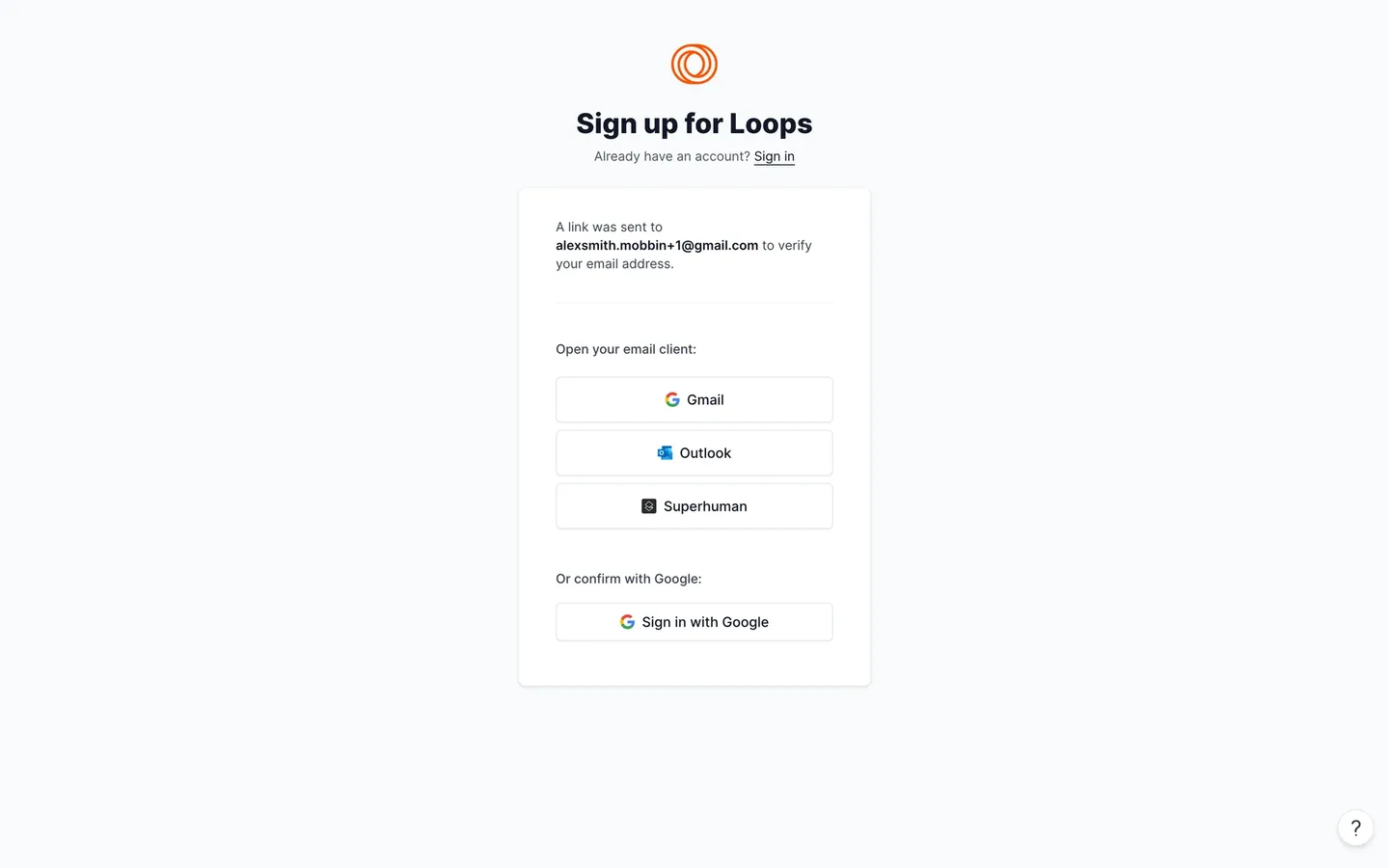
The sign-up card for Loops, as captured by Mobbin, a library of app screens, takes another route. After saying a link went to an address ending in @gmail.com, it lists three full-width buttons under the label Open your email client, one each for Gmail, Outlook and Superhuman. The person picks their own provider. The screen doesn't show where each button leads.
071 min
Sniper Links on iPhone and Android
On a phone, a sniper link has to open an app instead of a webpage, and that changes how it is built. Growth.Design, a company that teaches product design, gives separate iOS formats in its guide beside the desktop ones, and iOS links open the phone's own mail app. Android needs more work: the guide says you could use some JavaScript to detect the mobile device and adapt. sniperl.ink, the free tool from the newsletter service Buttondown, does the detection for you and picks the redirect by device, whether desktop, iOS or Android.
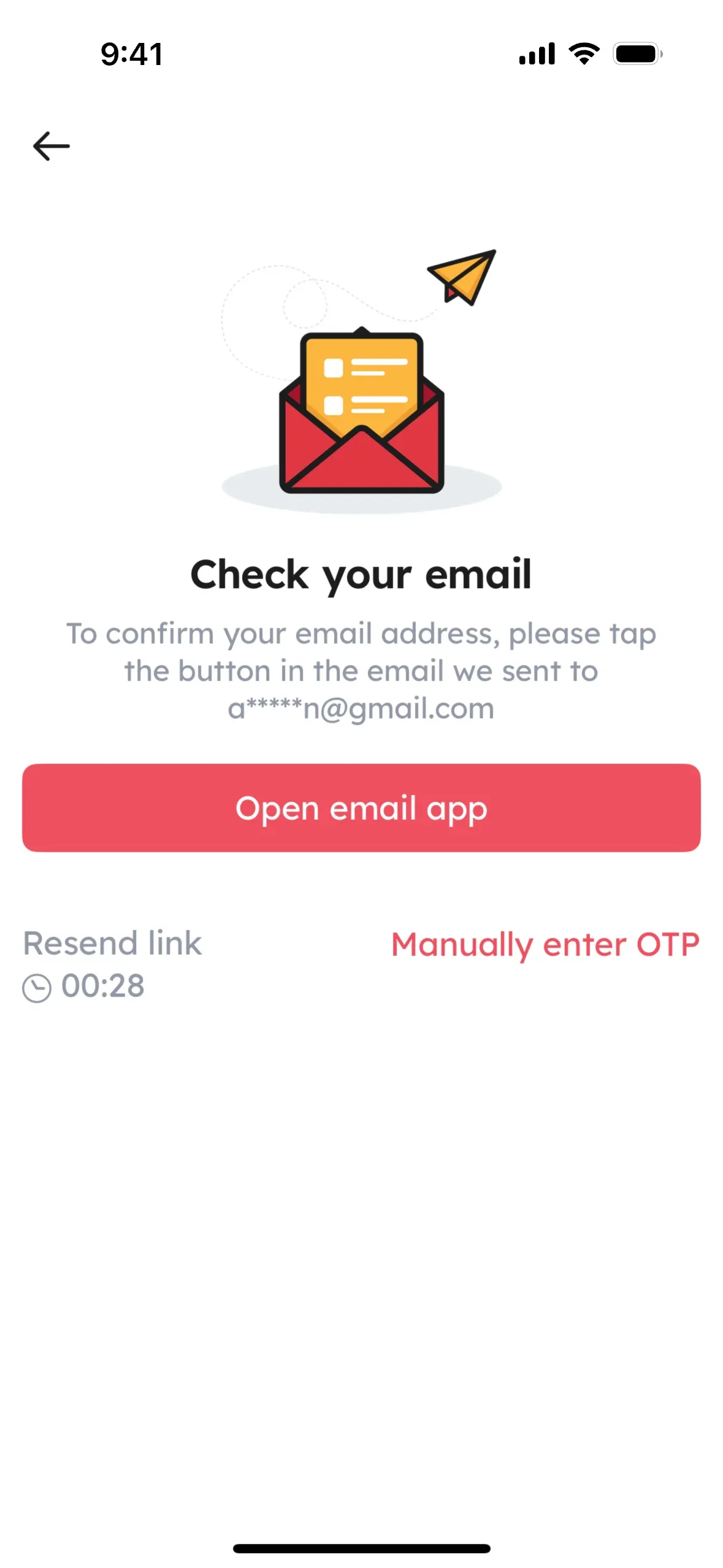
Zomato's iOS app, as captured by Mobbin, a library of app screens, has a check-your-email screen that shows the phone version. A wide button for Open email app sits under text about a masked address ending in @gmail.com. Below it are a Resend link option with a countdown and a link to Manually enter OTP, which means typing a one-time passcode instead. The button names no provider, and the screen doesn't show which app it opens or whether a search is filtered.
Growth.Design's 7% test covered Gmail on desktop only, so none of the sources here reports a result for a phone link.
081 min
Where the term Sniper Link came from
Growth.Design is a company that teaches product design. The company credits Dan Benoni with coining the name in 2019. Practical Ecommerce describes Benoni as co-founder of a product psychology website.
Subscribe Sense, a vendor of confirmation-page tools, tells a different story. It dates the first appearance of the term to early 2020, in a Growth.Design case study on Trello's onboarding. In that study, a banner at the top of the page after you created a Trello account asked you to confirm your email, with a link reading Check your inbox that went straight to your webmail. Subscribe Sense says the team called that a magic link, then added a search to the address that finds the exact confirmation email, and named the result a sniper link. A magic link takes you to your mail. A sniper link takes you to the one email. Subscribe Sense reports no result for the Trello banner.
The two accounts disagree on the year and on the product, and the sources here don't settle it. They agree on the idea: a link to the person's webmail with a search added.
091 min
How Buttondown turned Sniper Links into a free tool
Justin Duke, at Buttondown, a newsletter service, read the sniper link article by Growth.Design, a company that teaches product design, in 2023. A few months later Buttondown shipped a small test in its sign-up flow: detect a subscriber's email provider and offer a link to a matching inbox search. The team compared subscribers shown the link with subscribers who weren't. Double opt-in is a second email that asks a new subscriber to confirm. Among those shown the link, the share who confirmed rose by around 6%. That gap was statistically significant, meaning it was unlikely to be chance.
Pleased with that, the team released the idea as a free tool called sniperl.ink, announced in a post dated 6 October 2023. You can add it to a sign-up form as a web component, a ready-made button. You can also call its API, a web address a program can ask. The default label reads Open in plus the provider's name, and you can restyle it. On 24 November 2025 Buttondown published the tool's code as open source, so anyone can read how it detects providers and builds links.
Misunderstandings
What people get wrong about Sniper Links
Belief: Sniper links raise email confirmations by 7%.
Actually: Only in the tests run so far, and each measured something different. Growth.Design, a company that teaches product design, saw a 7% relative lift, measured on Gmail users on desktop on its own sign-up forms. Buttondown, a newsletter service, measured around 6% on its own.
Belief: Between 27% and 61% of new users never confirm, across the whole industry.
Actually: That range comes from two places. Growth.Design footnotes it to Litmus in 2016 and Mailchimp, an email service, in 2017. The 61% is Mailchimp's own figure for 2017. The footnotes don't say which source gives the 27%. That figure matches one list run through ConvertKit, an email service, as reported by Webbiquity, a business-to-business marketing blog. It is one list, not a survey of all lists.
Belief: Every provider takes the same sniper link.
Actually: Each provider writes its own. Gmail, Outlook, Yahoo Mail and Proton each need their own format, and Android needs device detection in code.
Belief: Most onboarding flows already use sniper links.
Actually: Very few do. Growth.Design says less than 1% of onboardings use them.
111 min
When Sniper Links fall short
Practical Ecommerce, a trade publication for online shops, warns that a sniper link only helps when the confirmation email lands within a few seconds of sign-up. If your email is late, the link opens a search with nothing in it and the person is back to waiting. Webbiquity, a business-to-business marketing blog, also suggests setting up DKIM and SPF records. These are settings that prove an email comes from the sender it claims, so the message is less likely to be sent to spam in the first place.
The evidence is thin. Only two tests have been measured, and the teams that publish the idea ran both: Growth.Design, a company that teaches product design, and Buttondown, a newsletter service. The sources report no independent test.
Subscribe Sense, a vendor of confirmation-page tools, lists reminder bars for website visitors and reminder emails sent one to two days after signup as companion tactics you can run beside a sniper link. Mailchimp, the email service, took a different route. In late 2017 it changed its default for new lists from double opt-in to single opt-in, after seeing unconfirmed rates reach 61%. With single opt-in a person joins the list without confirming, so there is no confirmation to lose. Webbiquity adds that many experts still prefer double opt-in.
121 min
How to build Sniper Links for your sign-up
Adding a sniper link to a sign-up takes four steps. Growth.Design, a company that teaches product design, names the first three in its guide, and Practical Ecommerce, a trade publication for online shops, adds the fourth.
- Step 1Identify the email provider from the address the person typed.
- Step 2Build the link for that provider, with a search for your sender, a search word that also looks in spam, and a date limit, where the provider supports them.
- Step 3Show the link on the confirmation screen that ends your sign-up user flow, labelled with the provider's name.
- Step 4Send the confirmation email within seconds of sign-up.
Test it before you roll it out. Growth.Design says the first version, the one that led to its 7% lift, was very basic, so a simple A/B test on a subset of new users is enough to start. Show the link to some of them and the usual screen to the rest, then compare how many in each group confirm and how fast. Growth.Design and Buttondown, a newsletter service, both tested it this way. If you would rather not build provider detection yourself, sniperl.ink does it for free. Report Gmail on desktop separately from phones and other providers, because the 7% result came only from that case.
?6 questions
Questions people ask
Do sniper links work with Gmail?
Are sniper links free to use?
Do sniper links work on mobile?
Do sniper links work with iCloud Mail?
How is a sniper link different from a magic link?
Can a sniper link find an email in the spam folder?
§9 sources
Sources
Show all 9 sourcesHide sources
Growth.Design, Sniper Link: How To Improve Signup Confirmation Rates (guide with experiment).
Growth.Design, How to increase signup confirmation rates with Sniper Links (15-slide case study).
Armando Roggio, 'Sniper Links' Boost Email Subscriptions, Practical Ecommerce, 10 April 2023.
Subscribe Sense, What is a Sniper Link? (blog).
Sniperl.ink, the free sniper link widget and API by Buttondown.
Justin Duke, sniperl.ink, our free tool for improving subscription rate, Buttondown blog, 6 October 2023.
Google, Refine searches in Gmail, Gmail Help.
Webbiquity, Unconfirmed Subscribers: What They Are and What To Do About Them.
Jon Yablonski, Hick's Law, Laws of UX.